Tabular Anatomy
Pro
The plugin offers two formats for the Anatomy section: List beside artwork and Table below artwork.
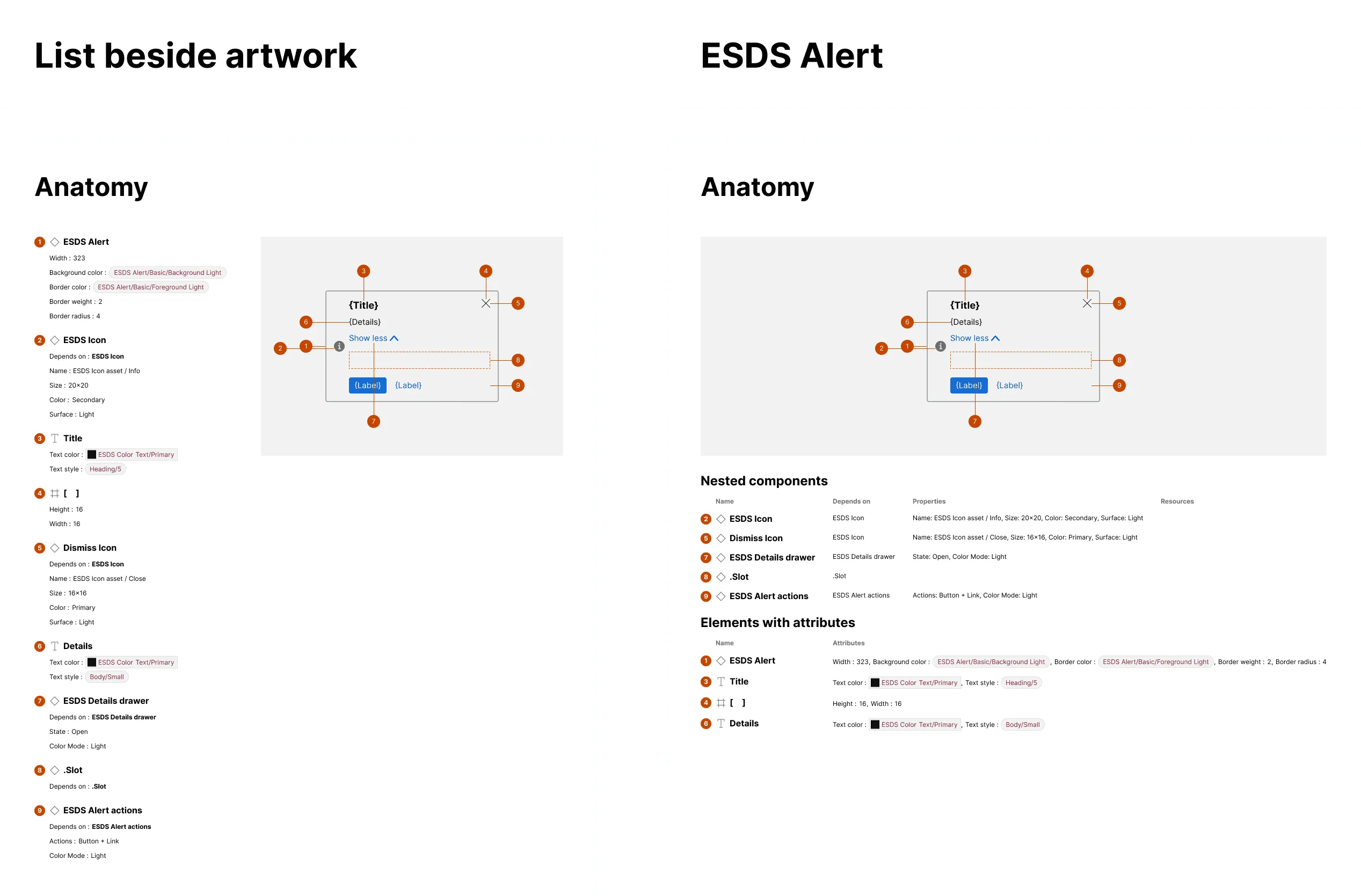
What is included
Section titled “What is included”When an anatomy is generated, elements and their associated attributes are arranged in a vertical format by default. Alternatively, anatomy content may be displayed in tabular format, resulting in up to two tables for nested components and other detected elements.
How it works
Section titled “How it works”For the alternative tabular format displayed below the annotated artwork, the plugin will:
- Construct a “Nested components” table for each nested component detected, with columns for component name (based on the nested layer name), dependency name, configured properties, and — when detected — associated links to dev resources
- Construct an “Elements with attributes” table, with columns for element name (based on layer name) and associated relevant attributes
- For instances, include the top layer in the “Other elements” table when that layer has relevant attributes